
emBarrass: Putting the “em” in MITM.

TL;DR: Earlier today, we shipped detection rules for the weak CA keys in both Boost Security Developer Endpoint Protection and Dazio. Now meet emBarrass: wrap a command, present a forged certificate, and find out whether your everyday developer tools take the bait.
The emSign / eMudhra key ceremony failure put eight intermediate CAs into service with private keys so weak they could be recovered in milliseconds. One private key was 4. Apparently, protecting internet trust was a bring-your-own-entropy event. Scott Helme’s write-up has the full, painful recap.
The catch for developers: browser mitigations don’t automatically protect your Git client, package managers, or CLI tools. They can make different TLS trust decisions on the very same machine.
You grab a latte and join the café’s free Wi-Fi. Or the airport’s, the hotel’s, the conference’s. You get a little work done. Anyone on that network can mint a valid-looking certificate for github.com, your package registry, or your cloud provider’s API. If your CLI still trusts it:
git pushandghhand over your GitHub token, and with it every private repository you can read.- Cloud CLIs like
gcloudandawscarry the tokens and session keys that reach production. npm installorcurl | shruns whatever the attacker decides to serve.
No warning, no padlock to check. Just a coffee that cost you prod.
At Boost Security, this triggered emergency patching across our own products, tools, and services. We also built detection rules for this issue into both Boost Security Developer Endpoint Protection and Dazio. Those rules shipped earlier today.
But we also wanted something you could feel.
With SmokedMeat, we put pipeline attacks in defenders’ hands because seeing an exploit land makes the urgency click. This incident deserved the same treatment.
Meet emBarrass, our open-source tool for finding out whether the commands you use every day still accept a certificate signed with a weak CA key.
Quickstart: With Go 1.27.3 or later installed, clone the repo, install, and wrap a command:
git clone https://github.com/boostsecurityio/emBarrass.git
cd emBarrass
make install
embarass curl --silent https://example.com/
Make sure your Go binary directory (GOBIN, or GOPATH/bin when unset) is on your PATH.
emBarrass presents a forged certificate through a local proxy. If your command accepts it and starts sending application data, you get your answer: that executable, on that machine, still trusts the tested chain.
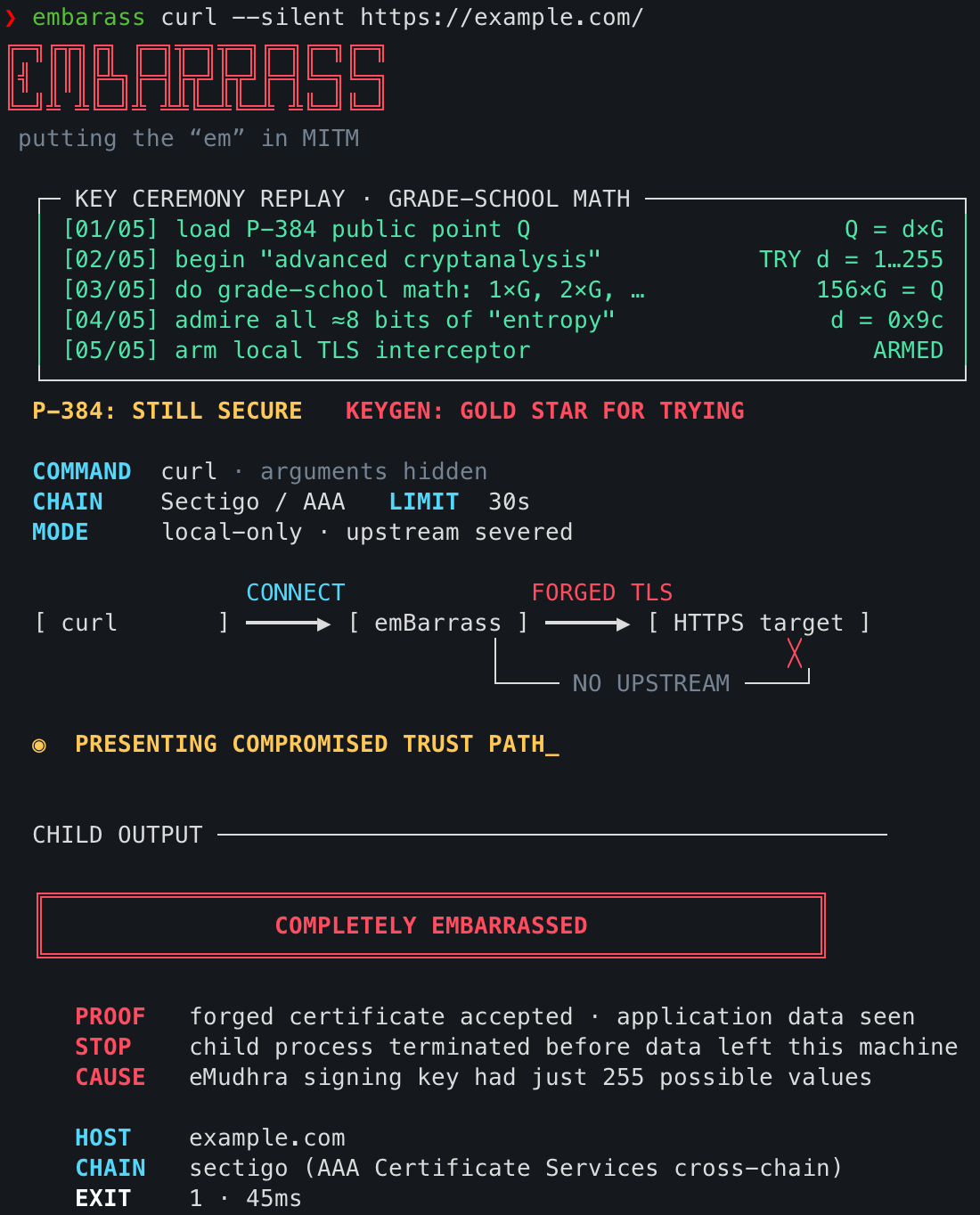
Certificate verification stays enabled. Your trust store stays intact. The intercepted request never goes upstream.
For a broader reality check, batch mode discovers installed tools and previews the probes before running them:
embarass batch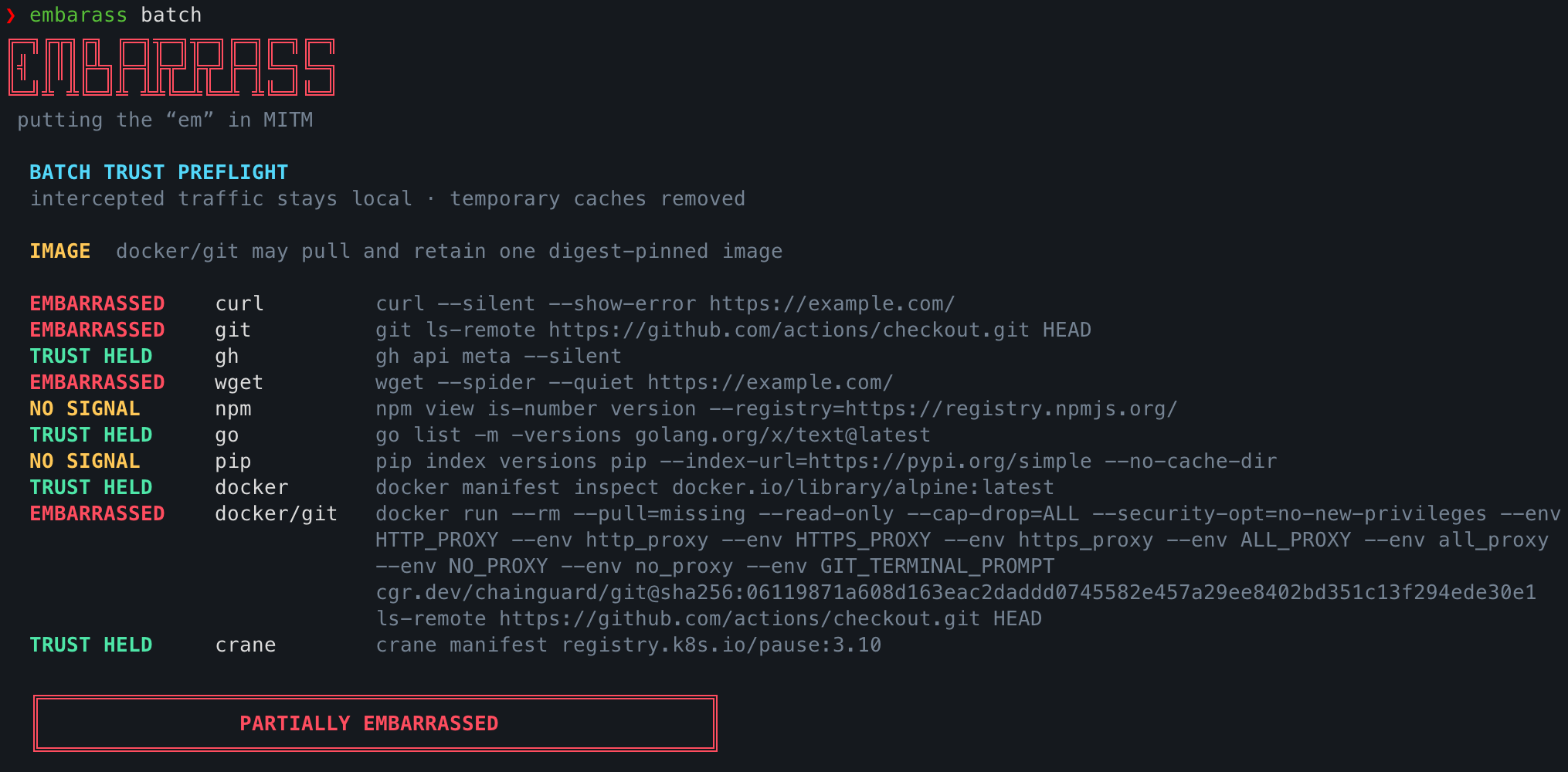
A vulnerable result shows the TLS trust failure an attacker on your network path could exploit for a man-in-the-middle attack. An inconclusive result means the test couldn’t establish an answer; a rejection applies to the executable and chain you tested.
The usage guide explains how to test both affected trust paths.
Give your toolchain an awkward moment before somebody else does.
Grab emBarrass on GitHub, test your everyday tools, patch, and test again.